$569.13one balance, two clocks
Waitlist
One place to run a music studio.
Lessons and scheduling, invoicing and payments, teacher payroll, instrument repairs, and the reports that tell you how any of it is going.
- Bill families on the terms you actually agreed
- Pay teachers for what they taught
- See who is behind, and who has stopped turning up
Built inside a working music studio, for music studios.
How it works
One account per family.
A family that takes lessons and also brings a guitar in for a fret dress is one account. Repairs, lesson attendance, invoices, credits and notes all sit on it.
Most studios end up with a scheduler for lessons, a spreadsheet for money and a notebook by the bench for repairs. None of them knows the family.
B♭ Studio uses one billing account per family, and every line of business bills into it. Lessons add up through the month and are invoiced monthly, on the terms you set. A repair is invoiced and due when the instrument is picked up, because you can’t hand a guitar back against an invoice that isn’t due for three weeks.
Both invoices sit on the same account.
What it does
Built in modules.
Each line of business adds its own part. The shared core covers accounts, catalog, invoicing, credits, notes and audit, and it doesn’t depend on any of them, so adding a new line doesn’t mean rewriting what’s there.
Lessons
A teacher cannot be booked into two rooms at once.
Scheduling, attendance and make-up credits, feeding straight into the invoice.
SchedulingAttendanceMake-upsTeachersRoomsMaterialsBilling
You see what a billing run will do before it does it.
One account per family, monthly runs you preview first, and credits with limits by role.
InvoicingBilling runsProrationTaxCreditsPaymentsStatementsRepairs
An instrument doesn’t leave with an unpaid invoice.
Intake to pickup on one board, invoiced and payable at the counter.
Work ordersQuotesParts & laborPickupPayment gatePayroll
A raise in October doesn’t change what September paid.
Teacher pay from attendance, at the rate that applied on the day taught.
HoursPaystubsApprovalsStripe ConnectContractor payoutsReports
Who is behind on payments, and who has stopped coming.
Four questions answered on screen, as a file, or in your inbox on a schedule.
RevenueReceivablesTeacher hoursAttendanceCSV & PDFFamily portal
Families can check what they owe without asking the front desk.
Families see their own invoices, lessons, balance and repairs, and can pay without calling the desk.
InvoicesLessonsStatementSaved cardsPay onlineMake-ups
Planned next(not built yet)
Production
PlannedStudio sessions and deliverables, with a deposit up front and the balance on delivery.
One job with two payments: a deposit and a final balance.
The software
The screen a studio opens first.
This is the staff console running on a made-up studio, photographed for this site.

Apps
Apps for iPhone and iPad.
The family app is built and in testing. A staff app is planned. Neither is on the App Store yet.
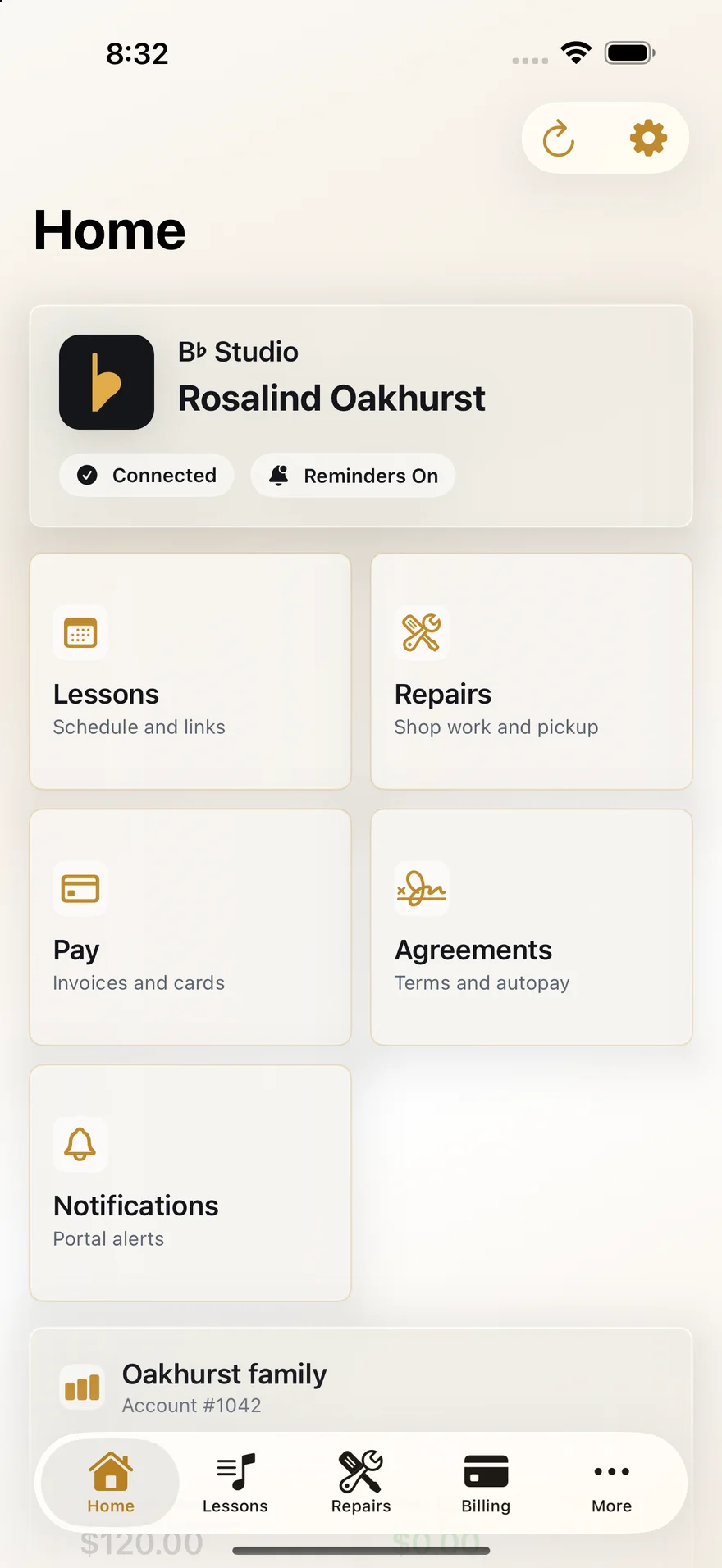
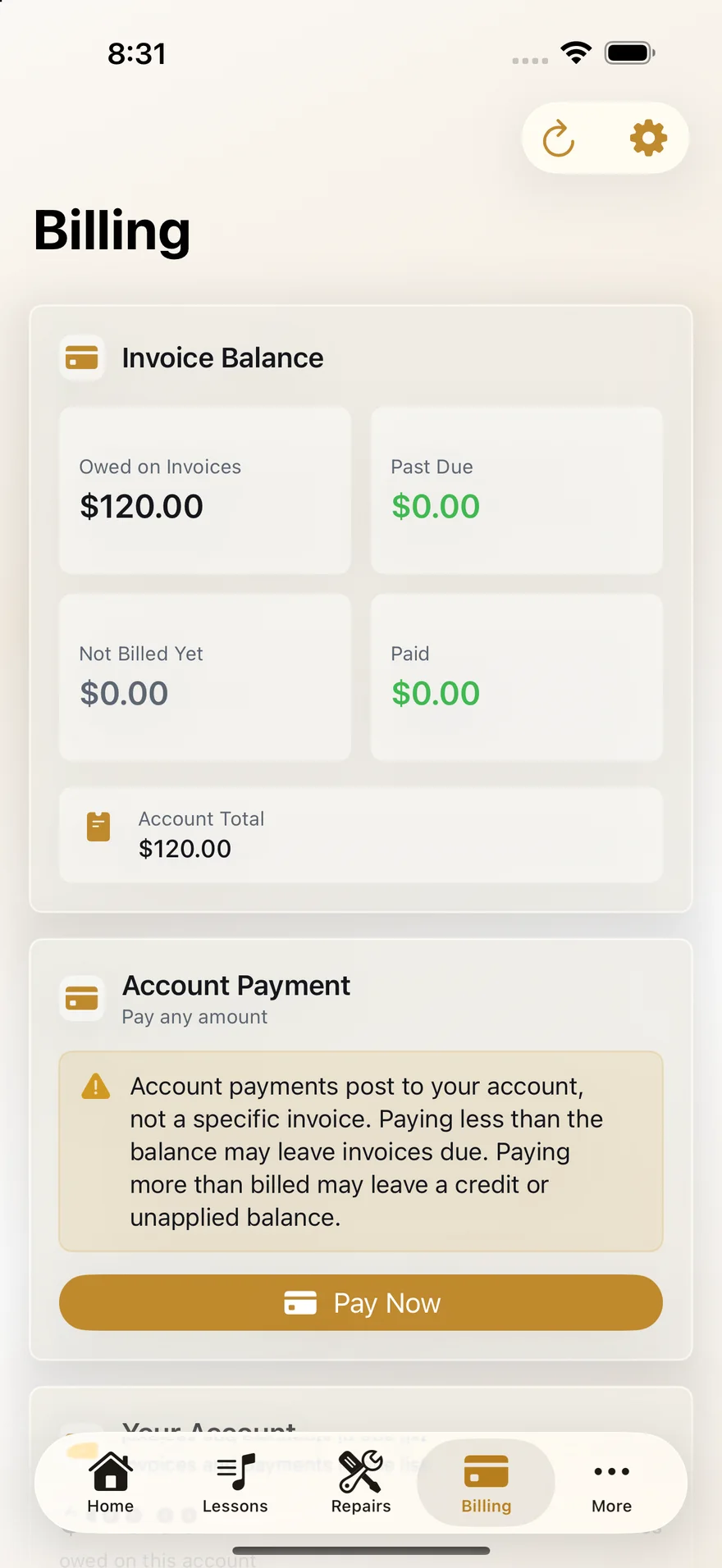
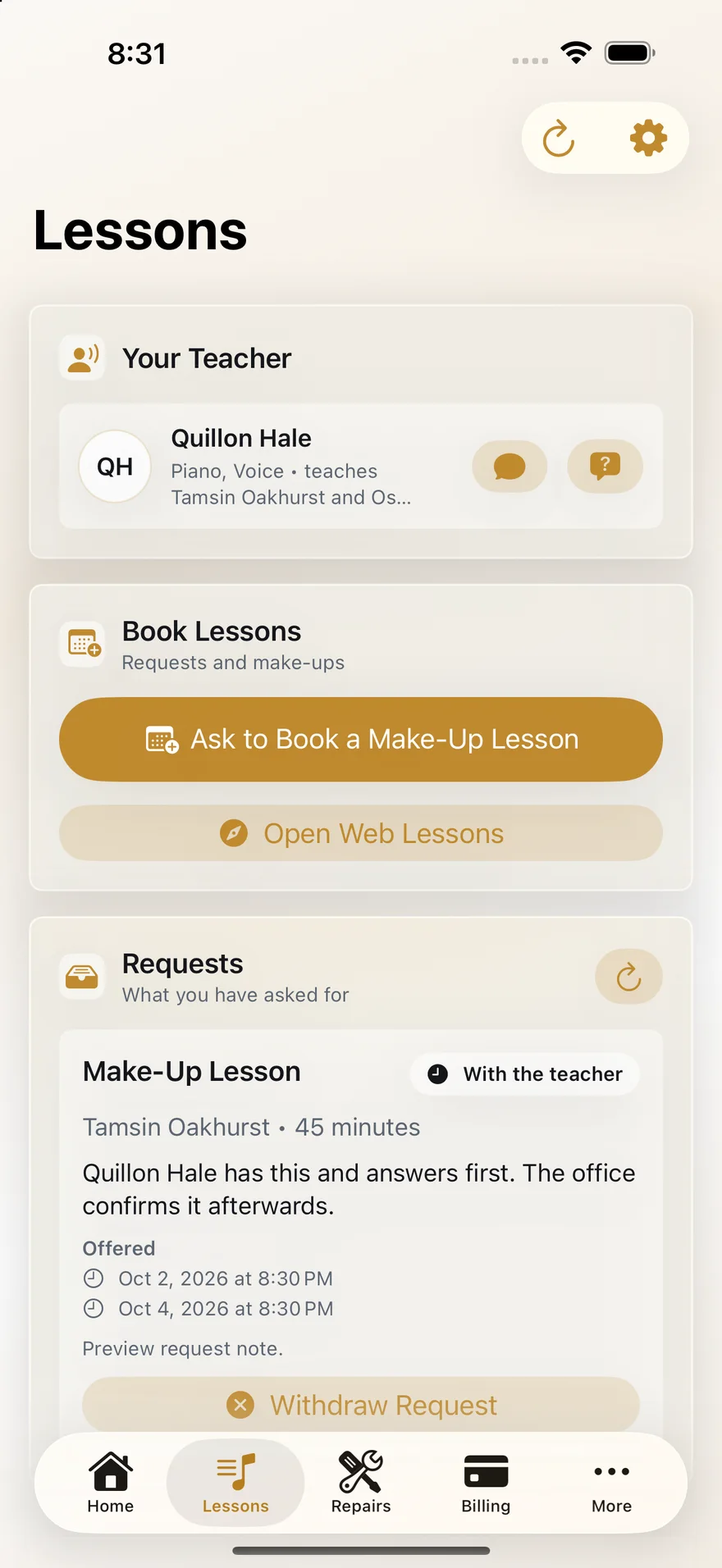
For families
In testingThe screens above are from the app. It covers sign-in, the balance, invoices and card payment (Apple Pay works too), lessons and make-up requests, agreements and Auto-Pay signatures, messages and teachers. It reads the same portal the website does, so there is one set of records.
It also has a metronome and a tuner, next to where practice is logged. The metronome clicks on the audio clock instead of a timer, so the beat on screen and the click you hear stay together. The tuner listens for the note and shows how many cents sharp or flat it is.
Lesson reminders arrive as notifications. The app locks behind Face ID, Touch ID or your passcode after it has been closed or left idle. Each sign-in records which device it came from, so an unfamiliar phone shows up on the account.
For staff
PlannedFor work done standing up: marking attendance between lessons, photographing an instrument at the bench, and checking whether the family at the counter owes anything before you hand their guitar back.
The family app runs, but you can’t install it yet. There is no App Store listing and no date. We plan to include it in every plan, and the waitlist hears first when it is out.
Money
Preview the billing run.
See the whole month before anything is sent: every account, every line, every proration, and the accounts it skipped, with the reason. Then commit it or don’t.
Tax is worked out and rounded per line, not on the subtotal. Rounding on the subtotal is how an invoice ends up a cent out every month.
Proration counts days inclusively, so a student who starts on the 12th is billed for the 12th. Credits and discounts go through an approval chain with dollar limits by role, and whoever asked for a credit can’t be the one who approves it.
Also
Also built in.
Scheduled jobs you can see
Thirty-one jobs handle overdue invoices, reminders, late fees, expiring make-ups, statements, postal mail and the monthly payout draft. Each one shows what it last did and what it will change, and each has a Run now button.
Your rules are settings
More than a hundred settings cover cancellation windows, what counts as chargeable, when a late fee applies and how the Auto-Pay discount works. They are your terms, written as rules the software enforces, and any family can have its own override.
Your name on it
Your logo, colors, currency and time zone are set in Settings. None of it is custom work.
Not open to new studios yet.
B♭ Studio runs a working music studio today. If you run one too, join the waitlist and we’ll be in touch when there is something to show you.
Join the waitlist